555VU APK Latest Version: How to Always Get the Newest App
Searching for “555VU APK latest version” turns up plenty of sites quoting precise version numbers. Here is how to make sure you really are on the newest app, without trusting guesses or risky files.
Key takeaways
- The app showed no version number in the screens we saw.
- The latest version is whatever an official address serves.
- The 10 KB Quick APP stays current automatically.
- Never install an “update” sent to you in a chat.
The Honest Answer About Version Numbers
In the screens we captured on 15 November 2026, the 555VU app did not display a version number anywhere a player would normally look. So when a website promises “555VU APK v9.8.7” or similar, it is very likely guessing, or worse, linking to a file that is not genuine.
The reliable rule is simpler: the latest 555VU app is whatever an official address offers today. Those addresses are listed in the app’s Find us screen.
Why the Quick APP Is Always Current
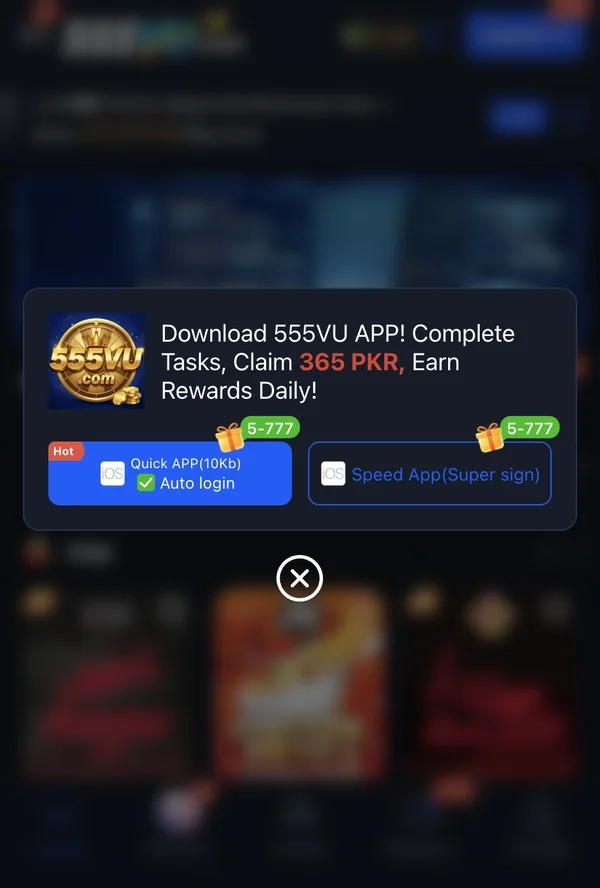
The Quick APP is about 10 KB, far too small to contain the games themselves. It opens 555VU’s live site in an app window, so every time you launch it you are using the version the platform is serving right now. There is nothing to update manually.
Keeping the Speed App Up to Date
- 1
Accept in-app prompts
If 555VU asks you to update, follow its prompt.
- 2
Or reinstall from an official address
Open the site, tap Speed App again and follow the steps.
- 3
Never use forwarded files
An “update” sent in a chat group is the classic way fake apps spread.
- 4
Log back in
Your balance lives on the server and will still be there.
Signs a File Is Not Genuine
Unexpected size
A file claiming to be the Quick APP but weighing many megabytes, or the reverse.
“Mod” or “hack” in the name
Always fake.
Asks for odd permissions
Reading SMS, contacts or call logs is a red flag.
Came from a strange address
Not on the Find us list.
A Simple Update Routine
Once a month, open 555VU from a saved official address in your browser, compare it with your installed app, and reinstall from the official site if anything looks different. It takes two minutes and keeps you away from fake “latest version” downloads entirely.
More 555VU Guides

555VU Home Screen Explained, Button by Button
A tour of every part of the 555VU home screen, from the balance bar to the bottom menu.
Read article
555VU Daily Cashback and Rebates Explained
How the “up to 3% daily cashback” and the first deposit rebate work, in plain words.
Read article
555VU Scams to Avoid: Fake Agents, Codes and Apps
The most common tricks used against 555VU players and simple ways to stay safe.
Read article